

Shopify has no built-in way to let customers pick a date, so stores that need a Shopify delivery date, an appointment slot, or an event date have to reach for an app. If you searched for how to add a date picker to Shopify, this guide shows how to add a calendar field — with date-range limits and blocked days — in a few minutes using Optionify, a free product options app.
How do I add a date picker to Shopify?
Shopify products can't collect a date natively. With Optionify, create an option set, add a Date picker option, set the allowed date range and any blocked weekdays, assign the set to your products, and enable the theme app embed. Customers then choose a valid date from a calendar right on the product page.
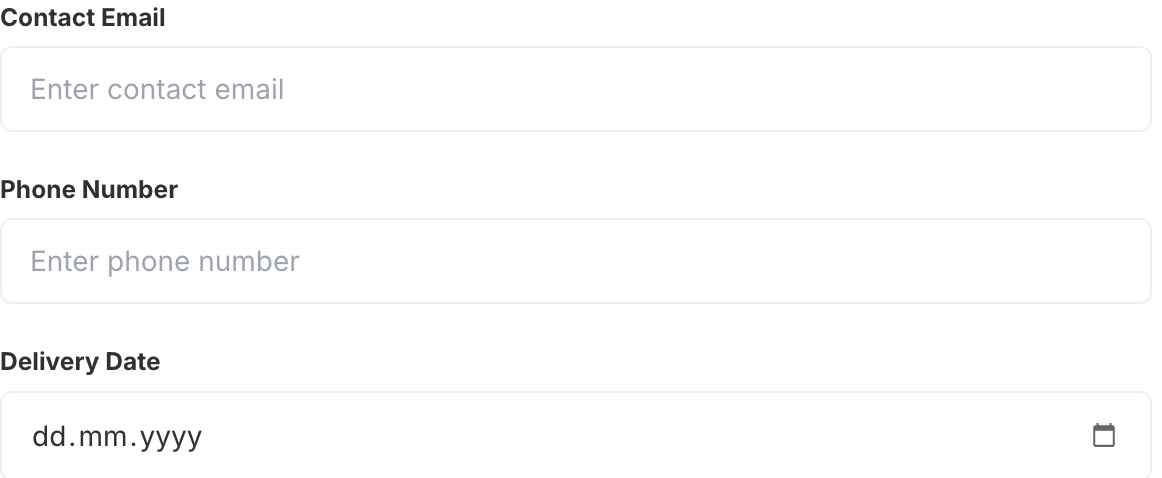 A Date picker field collecting a delivery date on a live product page
How do I collect a delivery date on Shopify?
Add a Date picker option and label it clearly, such as "Preferred delivery date." Set a minimum number of days so customers can't choose a date inside your processing window, and block any days you don't ship. The selected date is saved to the Shopify order, so your fulfillment team sees the target delivery date on every order.
This is the pattern most stores want: not a free-text box where someone types "next Tuesdayish," but a real calendar that only allows dates you can actually fulfill.
Setting the allowed date range
The Date picker lets you fence off which dates are selectable so customers can only choose dates you can honor:
- Minimum days from today — protects your processing and production time. A value of 3 means the earliest selectable date is three days out. Same-day is 0, next-day is 1.
- Maximum days from today — caps how far ahead customers can book. A value of 90 keeps orders inside a three-month planning window; rentals or event orders might use 365.
A sensible range prevents both problems at once: customers choosing tomorrow when you need a week, and customers booking a year out when you can't plan that far.
Blocking weekends and unavailable days
The Date picker supports blocked weekdays so you can disable any days you don't deliver or operate — Sundays only, full weekends, or a custom set that matches your carrier and shop schedule. Blocked days render as unselectable in the calendar, so a customer simply can't pick a date you can't fulfill.
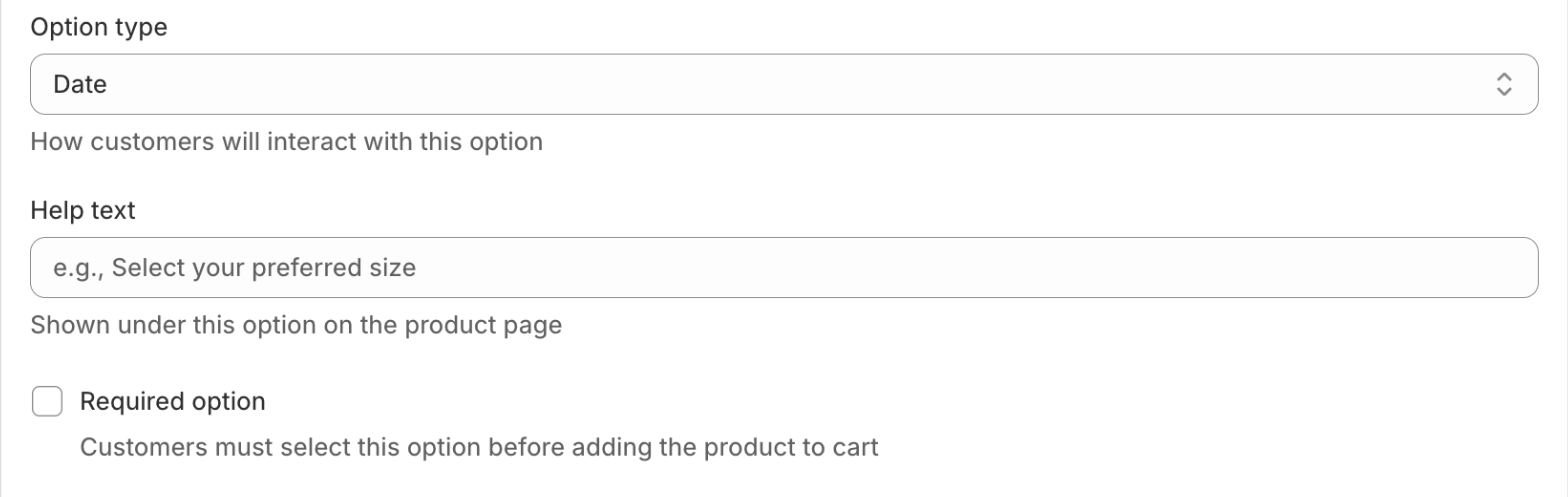 Configuring the minimum/maximum date range and blocked weekdays in the Option Set Editor
Use the option's help text to explain the rules in plain language, for example: "We deliver Tuesday–Saturday. Orders need three business days to prepare."
How to set up a date picker in Optionify
- Click Create option set and name the set (e.g. "Delivery scheduling").
- Add an option and choose the Date picker type.
- Enter the option label, such as "Preferred delivery date."
- Set the minimum and maximum days from today for the allowed range.
- Add any blocked weekdays you can't fulfill.
- Decide whether the date is required — usually yes for time-sensitive orders.
- Assign the set with the right assignment method — All Products, Tagged Products, Collections, or Individual Products.
- Set the set to Active and save with Shopify's save bar.
Options only appear on the storefront once the theme app embed is enabled in your theme editor. If the calendar isn't showing, check that first.
Can I charge extra for rush or weekend dates?
Yes — pair the Date picker with another option that carries an add-on price. A common setup is a radio buttons or switch option offering "Standard," "Rush (+$10)," or "Weekend delivery (+$15)," where each choice adds its charge in one of two modes:
- Fixed — a set amount, e.g. "Rush delivery (+$10.00)."
- Percent — a percentage of the product price.
The charge carries to checkout through a hidden companion product, so it works with Buy it Now and Shop Pay too. See add-on pricing for the details. You can also use conditional logic to reveal the rush option only after a date is chosen.
Does a date picker create Shopify variants?
No. A date is a customer preference, not stock-tracked inventory, so it doesn't belong in variants at all. The Date picker creates no SKUs and doesn't count against Shopify's 3-options-per-product limit — which stayed at 3 even after Shopify raised the variant ceiling to 2,048 in October 2025. Your Size and Color stay as variants; the delivery date lives alongside them without using one of your three slots.
Real use cases for date picker options
Delivery scheduling. A florist collects a delivery date with a 1-day minimum and blocks the days the shop is closed, so bouquets always arrive when the shop can dispatch them.
Appointments and pickups. A bakery lets customers choose a pickup date for custom cakes, with a 3-day minimum for decorating time.
Event dates. A party-supplies store asks for the event date on personalized items, using a 14-day minimum to guarantee production and shipping.
Rentals. An equipment rental store collects a start date with a longer maximum window for advance bookings.
Every chosen date is saved as a line item property on the order, so your team sees the exact date the customer needs — no back-and-forth emails.
FAQ
How do I add a date picker to Shopify? Shopify has no built-in date field. With Optionify, create an option set, add a Date picker option, set the date range and blocked weekdays, assign it to your products, and enable the theme app embed.
How do I collect a delivery date on Shopify? Add a Date picker option labeled "Delivery date," set a minimum for processing time, and block days you don't ship. The chosen date saves to the order as a line item property.
Can I block weekends or specific days? Yes. The Date picker supports blocked weekdays, so you can disable Sundays, full weekends, or any days you don't operate. Blocked days appear unselectable in the calendar.
Can I limit how far ahead customers can book? Yes. Set a minimum number of days from today to protect processing time and a maximum to cap how far ahead customers book.
Does the date picker create Shopify variants? No. It isn't a variant, so it never creates SKUs or counts against Shopify's 3-options-per-product limit.
Get started with Optionify
Ready to let customers choose a delivery, appointment, or event date? Install Optionify — it's free, forever, with all 17 option types, conditional logic, and add-on pricing included.
Install Optionify on the Shopify App Store
New here? Start with creating your first product option, then explore conditional logic to reveal date-related options only when relevant.